






Skip to content
Menu
Technical review

Catch the blocker. Keep the release moving.

Upload a PDF, DOCX, or XLSX technical package. T-Fashion Agent checks completeness and consistency, then cites every supplier-release risk to a page or sheet.

Runway evidence
Kept in context
Editable outputs
Kept in context
Team review
Kept in context
T-Fashion workspace
Connected workflow

Technical package · PDF

OVR_COAT_17

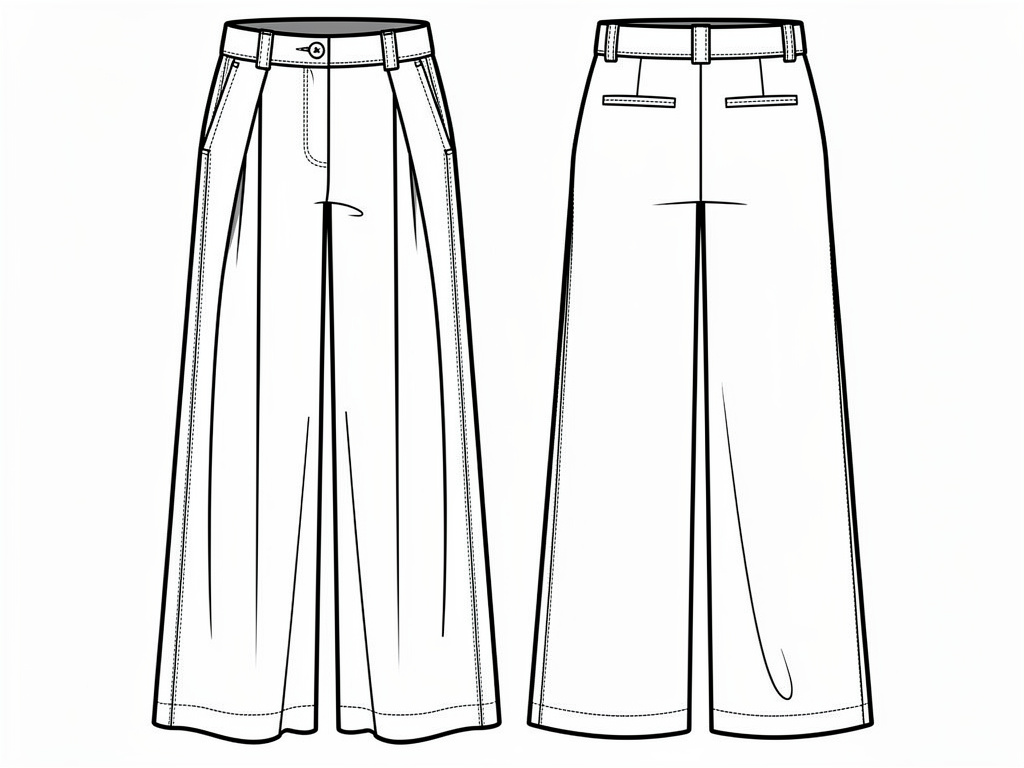
Technical flat preview

Working across the platform

Find the issues that can block supplier release and cite each page.

InsightsExploreStudioMoodboards

Result

Supplier-release review

Seven issues need technical review before the package moves forward.

01 Collar height · p.2

02 Sleeve spec · p.4

03 Stitch density · p.6

Ready for the next step

Page-referenced QA review

Trusted by fashion teams

Tapestry
ASOS
Uğur Konfeksiyon
Genç Tekstil
Damat Tween
The platform flow

Built into T-Fashion, not beside it.

The platform remains the product. Agent helps carry evidence and instructions between the tools your team already uses.

  1. 01 Read

    Insights

    Turn runway coverage into structured season signals.

  2. 02 Find

    Explore

    Search the visual archive for the references that matter.

  3. 03 Create

    Studio

    Develop concepts from your references and direction.

  4. 04 Align

    Moodboards

    Bring evidence and creative work into one shared board.

Agent supports this workflow. It does not replace the product surfaces or your team’s decisions.

Explore the Fashion OS →
What it helps with

Three checks before the package moves.

01

Check completeness

Find information the supplier still needs.

Start with
Measurements, materials, construction, artwork, and notes
Work through
Review the visible package against its own required information.
Continue with
Missing items with exact page or sheet references.
02

Check consistency

Find details that disagree across the package.

Start with
Values, labels, callouts, sketches, and instructions
Work through
Cross-check repeated information across pages and sheets.
Continue with
Conflicting specifications for technical review.
03

Prioritize release risk

Put supplier blockers first.

Start with
All detected issues and package context
Work through
Separate blockers, questions, and editorial cleanup.
Continue with
A focused agenda for release approval.
Start with the work

Run the first QA pass before supplier release.

The Agent organizes missing and conflicting information with exact references. Your technical team keeps final approval.

  • Find missing information that can block supplier action.
  • Cross-check measurements, callouts, and construction notes.
  • Separate release blockers from lower-risk questions.
  • Cite every finding to the exact page or sheet.
Tech pack · PDF Required information Completeness review
Pages and callouts Cross-file consistency Conflict list
All findings Release impact Prioritized blockers
Exact locations Issue references Technical review agenda
Review before action

Faster QA with human release control.

The Agent finds and organizes risks. It does not replace technical design, fit review, compliance checks, or supplier approval.

  1. 01

    Reference every issue

    Each finding points to the relevant page or sheet.

  2. 02

    Separate blockers from cleanup

    Release risks stay distinct from questions and editorial corrections.

  3. 03

    Keep approval with specialists

    A qualified technical team verifies the findings and owns release.

FAQ

Questions before you start

Use Agent with the same evidence, product tools, and review process your team already uses.

Which tech-pack files can I upload?

The review supports PDF, DOCX, and XLSX technical packages.

What does the review check?

It checks completeness, consistency, and supplier-release risks. Each finding includes a page or sheet reference.

Does the Agent approve a tech pack for production?

No. It provides a structured first QA pass. Your technical and production teams keep final approval.

Bring the package before it reaches the supplier.

Start with a PDF, DOCX, or XLSX file and the current release stage.